


Software for equipment rental businesses
Customers book online. You run everything else in one place.
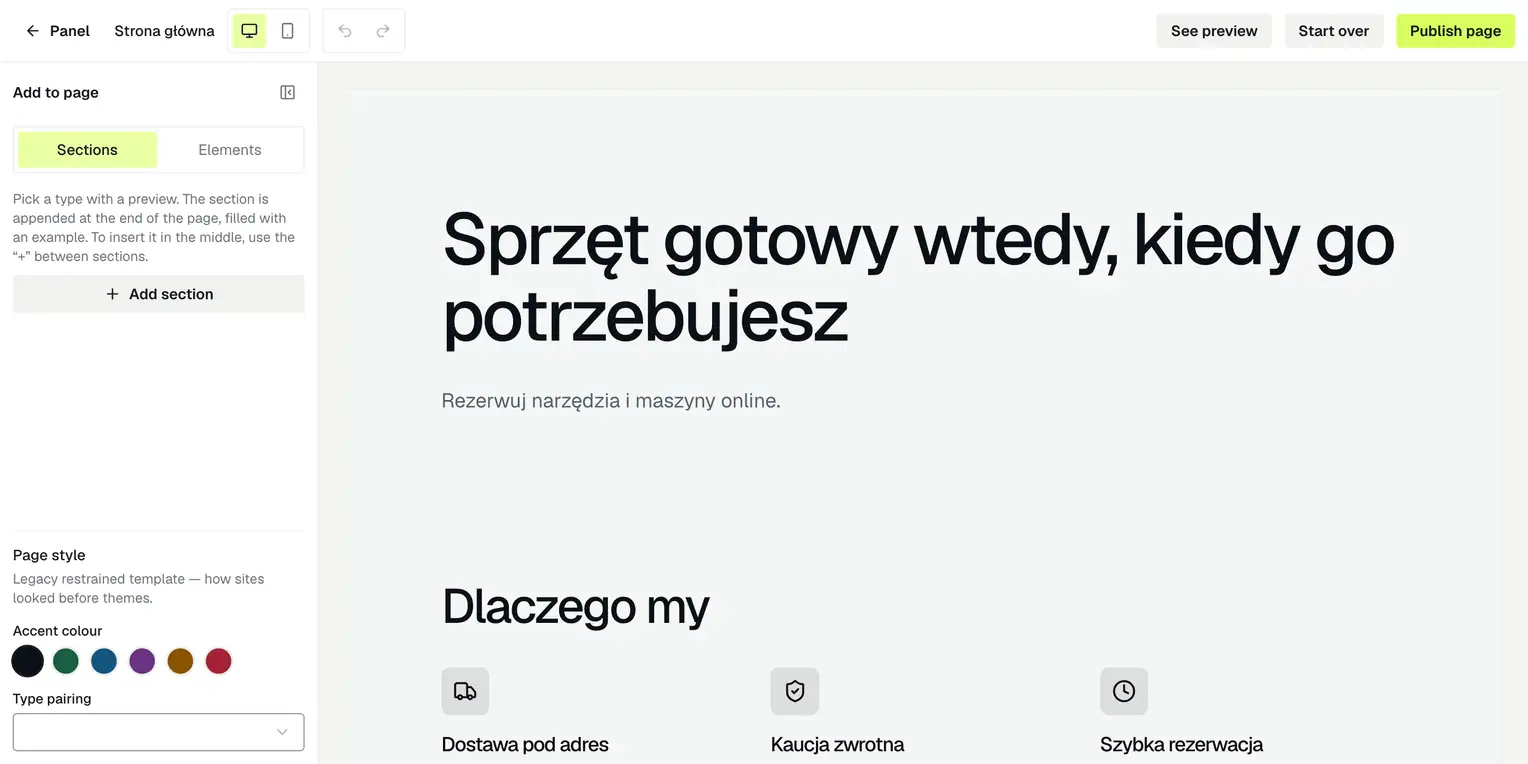
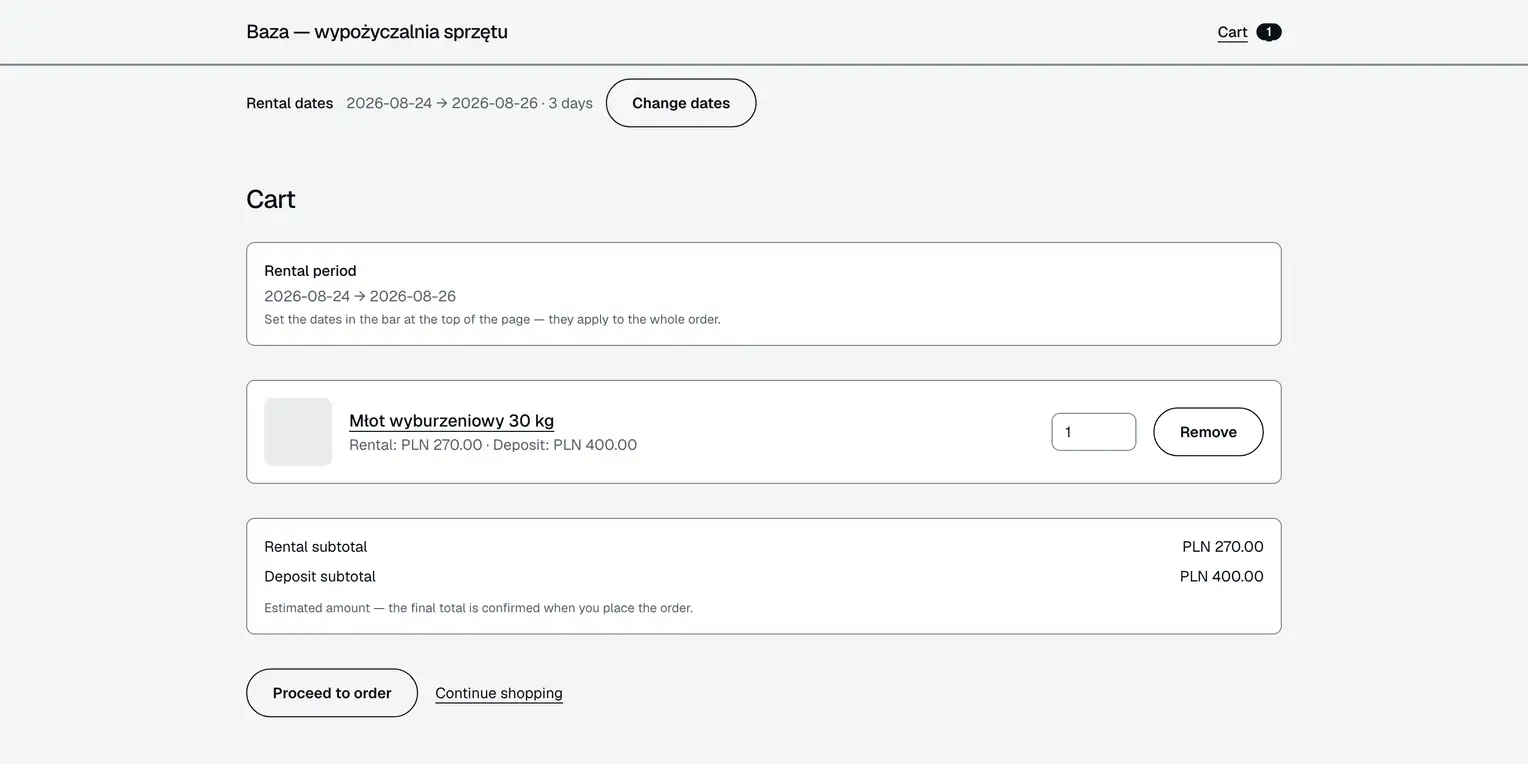
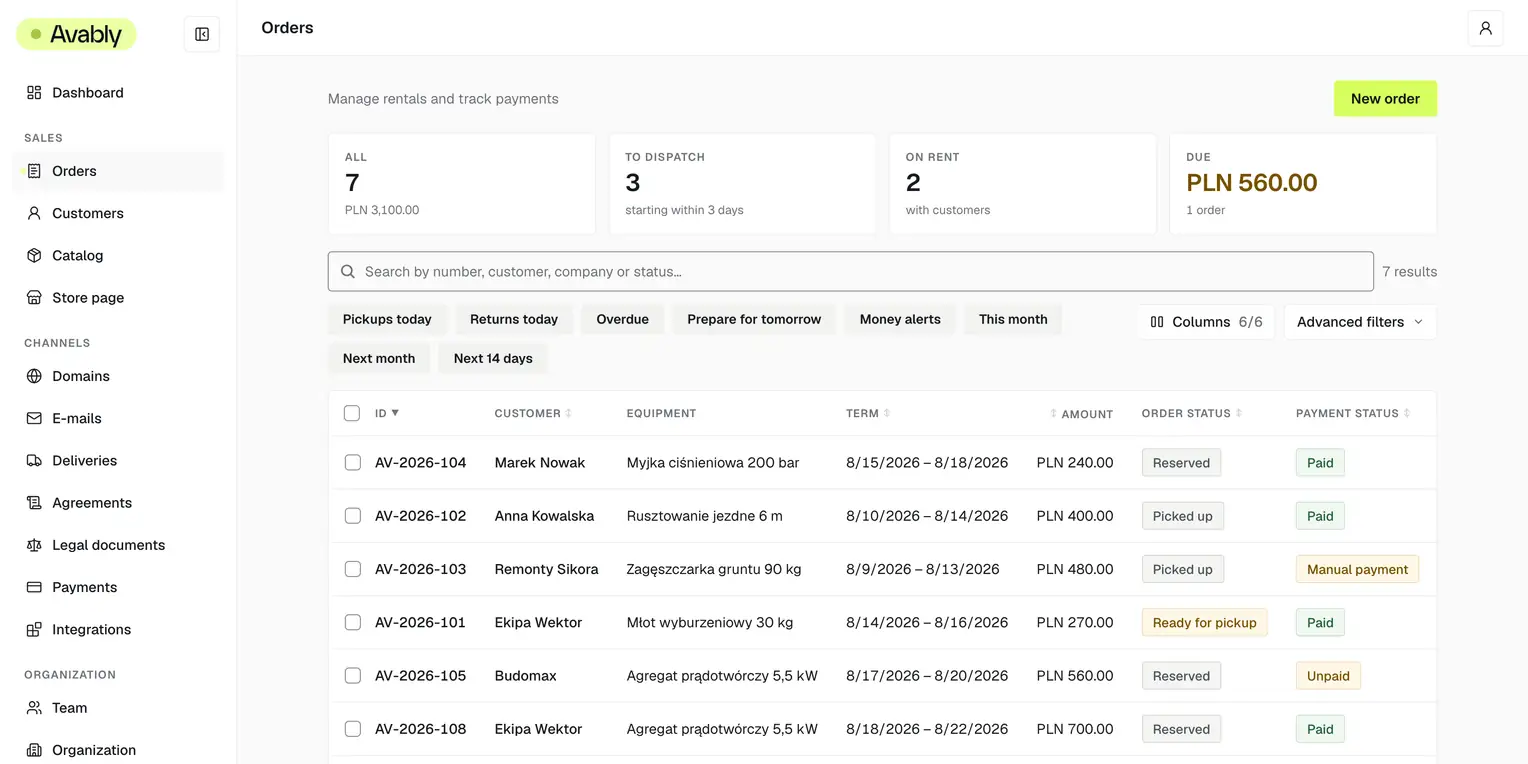
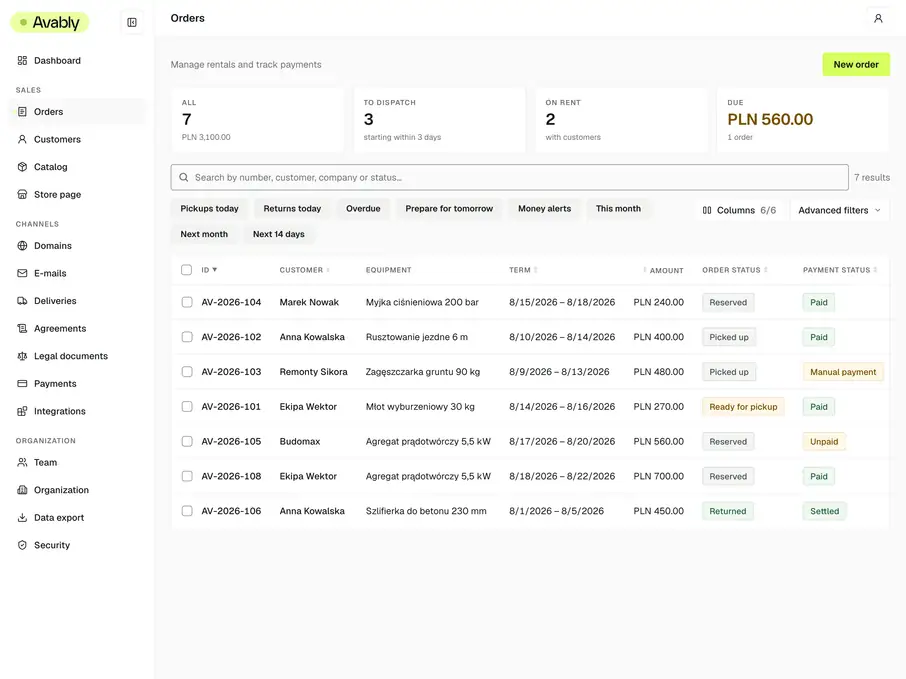
Avably connects your rental website to an operations back office. A booking goes straight into the calendar and order list; from there, the same team prepares the equipment, hands it over or ships it, takes the return and settles the deposit. No retyping between forms, spreadsheets and messages.
Availability tracked per individual unit
Payment and deposit tied to the booking
yourname.avably.io or your own domain

More than a calendar
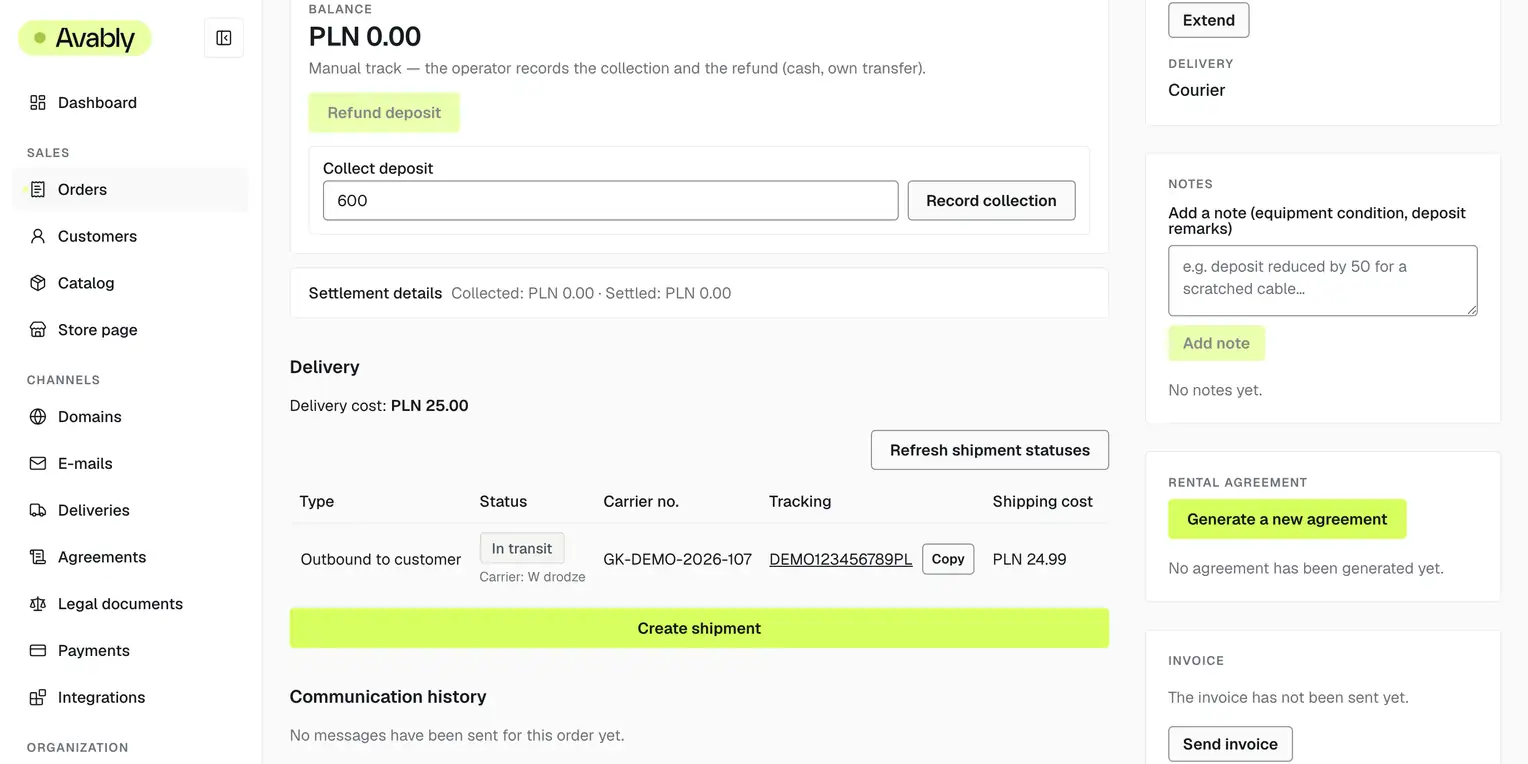
A booking starts the work; it does not finish it. The equipment still has to be prepared, handed over or shipped, returned on time and checked. Sometimes you price an extension, sometimes you deduct PLN 57 for cleaning, and every deposit must end at zero. Avably keeps those steps on one order, so the team can see what happened and what comes next.
One order through the full rental cycle
Availability counted on individual units
Store, payment and back office in one workflow
Who this is for
The same workflow, different equipment

Construction and machinery

Tools and power tools

Events and venue equipment

Photo, video and stage

Bikes and sports gear
Avably fits rental businesses that charge by the day and need to track specific units. Product names change; booking, handover, return and deposit do not. You start the website from one of six ready-made templates.
From offer to return
See one order move through Avably
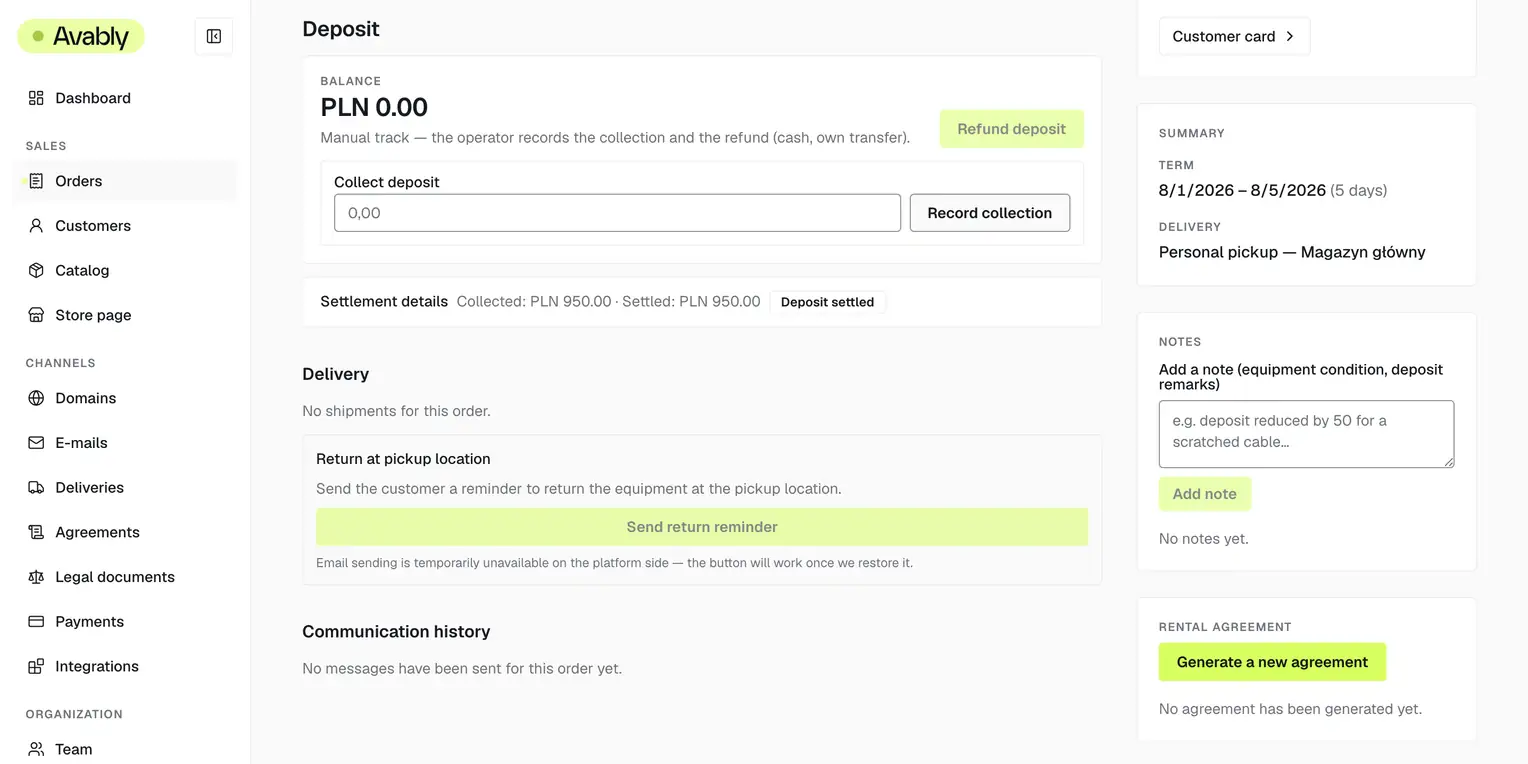
I run a rental business myself. Avably grew out of the days when two people arrived for the same piece of equipment and the deposit trail lived somewhere in the phone.
Tiered pricing and extensions without a calculator
Set a price for a day, a week or a longer rental. Moving the dates reprices the full order, while an extension adds the difference without manually rebuilding each line.
Online payments with no Avably cut
Customers pay by card on your website and the money reaches your own account with the payment provider. Avably charges a subscription, not a percentage of bookings. BLIK and Przelewy24 are being built, with no promised date.
Customer, history and decisions on the order
The customer record gathers orders and invoice details. Notes carry an author and a date, so the team sees what was agreed. Block someone you do not want to serve again by both email address and phone number.
Agreement, messages and invoice in one trail
Order data becomes a PDF rental agreement. Lifecycle emails go out in the customer's language and keep their delivery result. You still issue the invoice outside Avably, but you can send it from the back office and keep that trail. Automatic invoicing is still only on the Premium list.
Bookings on the website you already have
Embed the calendar with a script or the WordPress plugin. In that setup, customers pay by bank transfer or on pickup. A public API can power your own interface while every order still lands in the same back office.
Scope
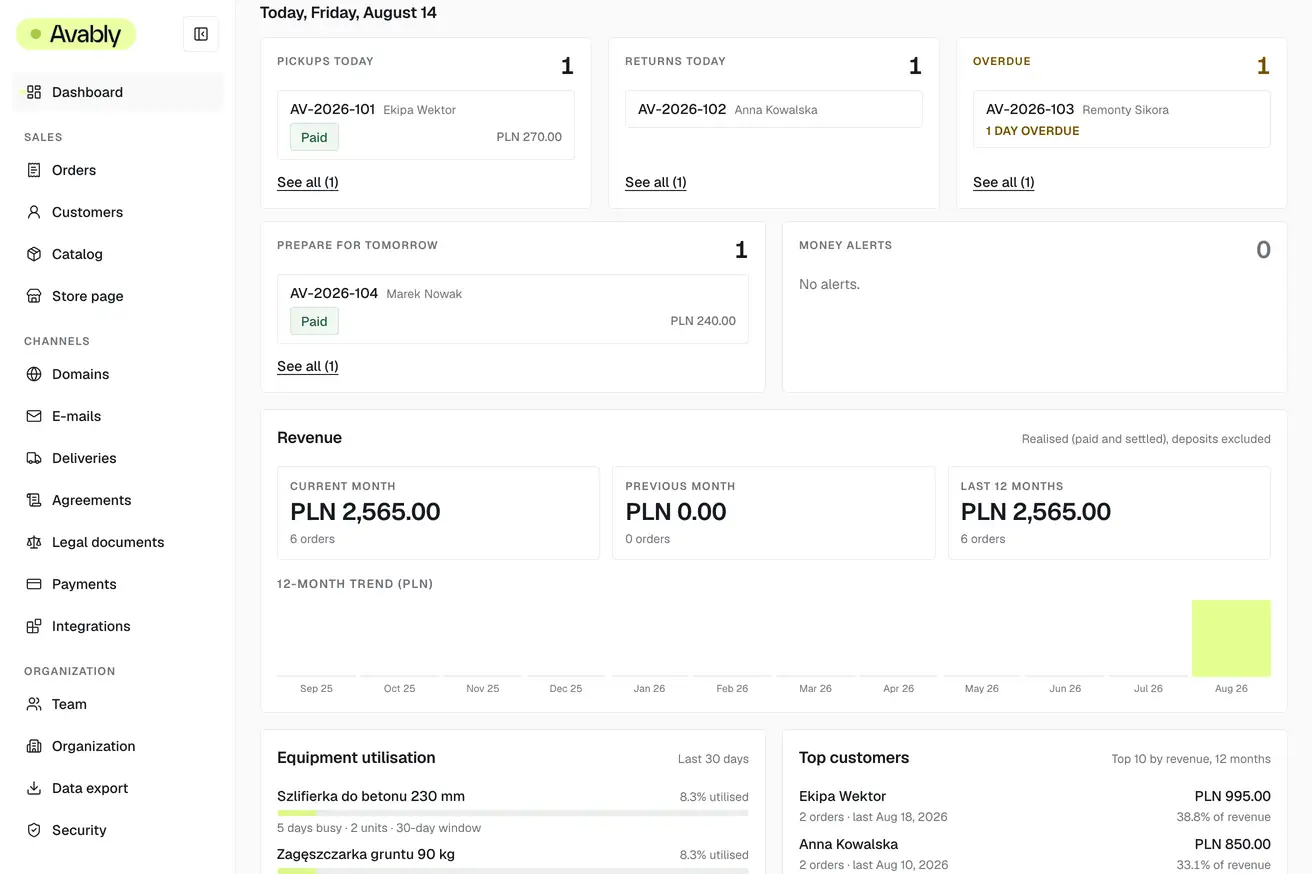
Start with what is happening today
The dashboard puts check-outs, returns, overdue orders, tomorrow's preparation and money alerts into five fixed tiles. Every item opens the relevant order. Revenue, trends and equipment utilisation stay below as context for a decision, not another list to maintain.
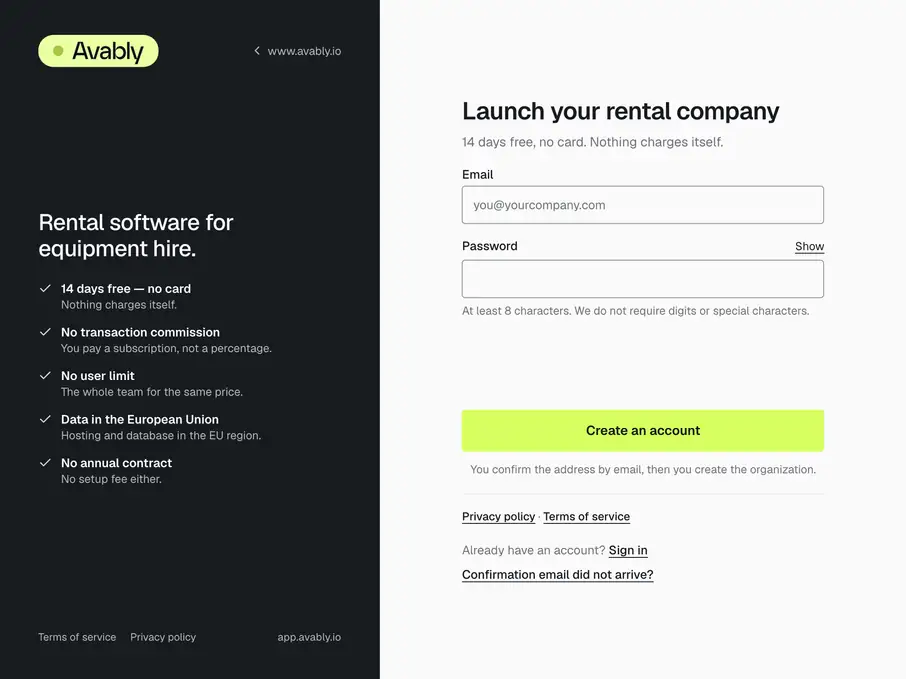
Open an account and name the store
Confirm your email, create the organisation and choose the store address. No installation, sales call or card. The back office immediately gives you a short checklist of what is needed to open.
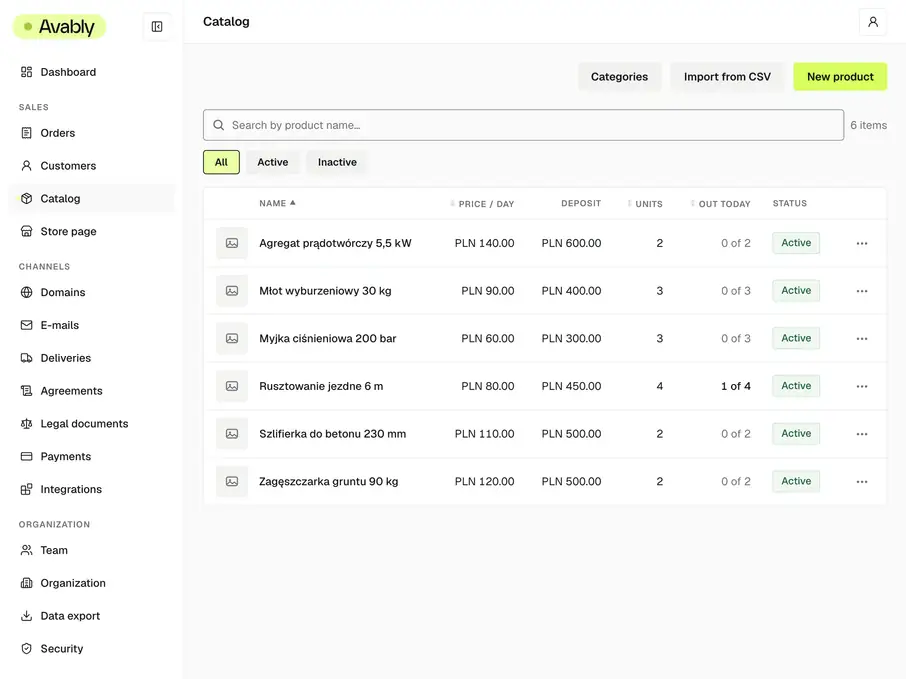
Add the real catalogue
Products and tiered prices come in from a CSV file. Add units, pickup points and photos in the back office. A larger inventory takes real time, so you can work in stages and publish the part of the offer that is ready.
Publish and run the first rental
A customer books on the website and the order appears on the list. From there, run it through preparation, handover, return and deposit. Invite the next members of the team by email.
Security and compliance
See how we guard the data
The database itself separates rental data
The wall between two businesses sits in the database itself (Row Level Security), not in the screens above it. A test guards it on every change to the system: it deliberately reaches for another business's rows and has to be refused, or the change does not ship.
We never hold a card number
Payments run through Stripe — card numbers never touch our servers and are never stored here. We do not collect national ID numbers or scans of identity documents either. A name, an email, a phone, an address and a tax number for the invoice is all we keep.
Servers inside the European Union
The database, the hosting and the mail all run in EU regions. Courier integration keys are encrypted separately for each business, and the key we encrypt them with does not live in the database.
We cannot get into the platform without a code
Our own administrative access needs a second factor (TOTP) — a password alone gets none of us in. Store and back-office pages ship a Content-Security-Policy computed separately for each request, plus HSTS and the rest of the security headers.
An address for reporting holes, and the GDPR paperwork
We publish security.txt (RFC 9116) with an address for vulnerability reports. We do not yet have a data processing agreement or self-service deletion of a customer's data; both are being written before the paid plans start.
We hold no external certifications and we do not imply otherwise. Everything above can be checked in the running system.
Questions